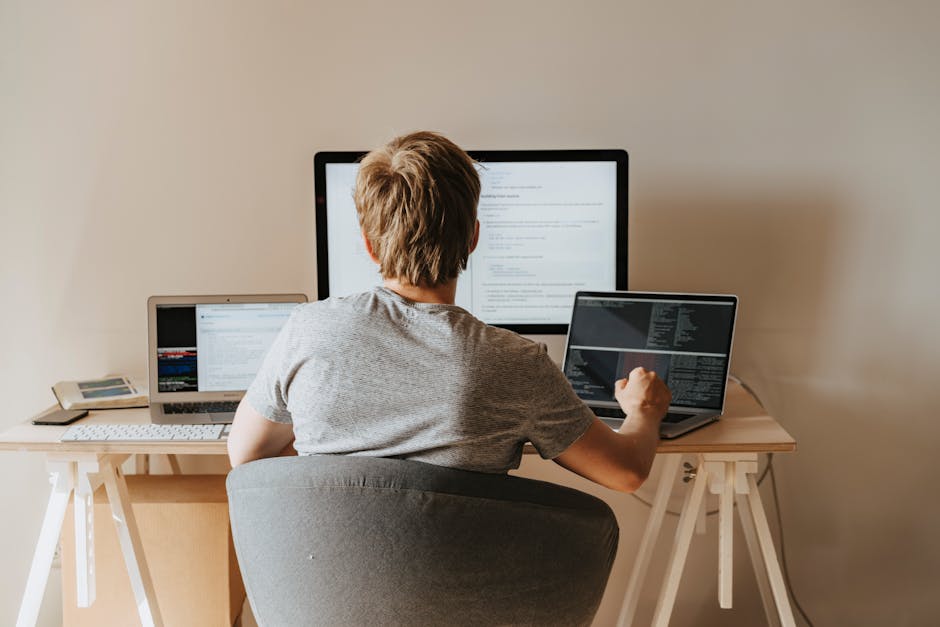
Setting Up a Home Office Move: Protecting Tech and Files
Moving a home office sounds simple until you are staring at a tangle of cables, a laptop full of client files, a printer that somehow weighs more than it should, and a drawer of documents you really do not want to misplace. Setting Up a Home Office Move: Protecting Tech and Files is about more than shifting desks from one room to another. It is about keeping your work usable, secure, and calm throughout the move, so you can get back online without that awful "where did I pack the charger?" moment.
Whether you work from a spare bedroom, a converted loft, or a compact garden room, the basics are the same: protect your equipment, back up your data, keep sensitive files organised, and plan the move in a way that reduces downtime. Done properly, it is less stressful than people expect. Done badly, it can become a week of lost time, scrambled paperwork, and avoidable damage. Truth be told, that is usually what catches people out.
This guide walks through the practical side of the process: what to secure first, how to pack tech safely, what to do with files and records, where the real risks are, and when a professional moving service can make life easier. If you are also moving furniture or setting up a larger workspace, it can help to look at home moving support and related services such as office relocation services or packing and unpacking help for the fiddly bits that take longer than expected.
Expert summary: The safest home office move starts before anything is packed. Back up data, separate personal and business files, label every cable and device, and move sensitive items yourself whenever possible. A careful plan now usually saves hours later.
Table of Contents
- Why Setting Up a Home Office Move: Protecting Tech and Files Matters
- How Setting Up a Home Office Move: Protecting Tech and Files Works
- Key Benefits and Practical Advantages
- Who This Is For and When It Makes Sense
- Step-by-Step Guidance
- Expert Tips for Better Results
- Common Mistakes to Avoid
- Tools, Resources and Recommendations
- Law, Compliance, Standards, or Best Practice
- Options, Methods, or Comparison Table
- Case Study or Real-World Example
- Practical Checklist
- Conclusion
- Frequently Asked Questions
Why Setting Up a Home Office Move: Protecting Tech and Files Matters
Your home office probably holds more than a desk and monitor. It may contain your work laptop, external drives, client records, receipts, archived paperwork, backup media, call equipment, and maybe a few things you only realise matter when they are gone. A move introduces risk at every stage: disconnection, packing, transport, temporary storage, and reinstallation.
Tech is vulnerable because modern work setups are built around multiple small parts. One missing power lead can stop a whole workstation. One damaged monitor cable can create a frustrating delay. One unencrypted drive left in a box can create a security problem. Files carry a different kind of risk. Paper documents can be bent, dampened, or mixed up. Digital files can be lost if backup habits are weak or if devices are switched off too late.
There is also the practical side. A home office move is rarely "just" a move; it is often a business continuity issue, even if you are self-employed. If you invoice clients, handle customer records, or use specialist software, a poor moving plan can interrupt income. No one enjoys discovering that the scanner power brick is missing on the first morning in the new place. Not ideal, to say the least.
And there is something else people underestimate: stress. A tidy moving plan calms everything down. You know where your essentials are, you know what to reconnect first, and you are not tearing through cardboard boxes while trying to answer emails with half a keyboard. That feeling of control matters more than people admit.
How Setting Up a Home Office Move: Protecting Tech and Files Works
The process works best in phases. First, you identify what must be protected. Second, you back up or secure it. Third, you pack in a way that keeps items grouped logically. Fourth, you transport everything with the right handling. Finally, you set up the new workspace in a sequence that gets you operational quickly.
For most people, the real trick is deciding what should be moved with the general household load and what should stay under your direct control. Sensitive files, laptops, hard drives, security keys, and live devices are often safer when packed separately and carried by the person who uses them. Bulkier but less sensitive items, such as desks, chairs, filing cabinets, or spare monitors, may be better handled by a moving team with appropriate transport. If you need help with the larger part of the job, a local man and van service or a removal truck hire option can make the logistics easier.
In practice, the workflow often looks like this:
- Make a list of everything in the home office.
- Back up digital files and check that backups open correctly.
- Sort paper records into keep, archive, shred, and recycle piles.
- Photograph the current cable layout before unplugging anything.
- Pack equipment using anti-static and padded materials where needed.
- Label boxes by room, device, and priority level.
- Move essential items last and unpack them first.
That sequence sounds basic, but it prevents a surprising amount of chaos. Honestly, most move-day problems are not dramatic. They are the little things: wrong box, wrong lead, wrong account login, wrong drawer. Small, annoying, avoidable.
Key Benefits and Practical Advantages
A well-planned home office move does more than protect expensive kit. It helps you re-establish a working routine faster, and that can be the difference between a productive week and a messy one.
1. Less risk of data loss
Backups, encryption, and careful handling reduce the chance of losing files due to damage, theft, or simple misplacement. For many people, the real value of this is peace of mind. You can breathe a bit easier knowing the spreadsheet, contract archive, or year-end accounts are not sitting unprotected in a random box.
2. Less physical damage to devices
Monitors, printers, docking stations, routers, and external drives are not designed to rattle around in open boxes. Proper wrapping and separation protect against knocks, pressure, and static damage.
3. Faster restart at the new address
Good labelling means your first hour in the new home office is about setting up, not searching. If you know which box contains the modem, power strip, keyboard, and document tray, you can get back to work with less friction.
4. Better security for confidential information
Home office files often include personal data, financial records, or client information. The more clearly you separate those materials, the less likely they are to be left exposed during the move.
5. Easier unpacking and less clutter
Clear packing decisions now prevent a pile-up later. You are less likely to end up with six mysterious boxes labelled "office stuff" and no clue which one holds the printer ink.
If your move includes clearing out old office furniture, obsolete monitors, or duplicate filing cabinets, it may also be worth exploring furniture pick-up and recycling and sustainability options so you do not carry unnecessary items into the new space.
Who This Is For and When It Makes Sense
This process is relevant to a broad mix of people. You do not need a full corporate office to benefit from careful planning. In fact, smaller home setups can be more vulnerable because everything tends to sit closer together, with fewer spare devices and less room for error.
You are likely to need this approach if you are:
- a freelancer moving between homes or rooms;
- a remote worker setting up in a new property;
- a small business owner working from home;
- someone with paper archives, receipts, or client records;
- a parent sharing office space with family life and general household chaos;
- a hybrid worker who needs a rapid reset after a move.
It also makes sense if you are moving only part of your workspace. Maybe the desk stays, but the filing cabinet does not. Maybe the laptop comes with you, but the desktop PC is packed by movers. These in-between situations are where planning really matters. Half the room moving now, half later, is where mistakes creep in.
Let's face it, the more customised your setup is, the more likely you are to have a very specific cable, adaptor, or software dongle that nobody else understands. That is not a criticism. It is just the reality of modern work.
Step-by-Step Guidance
Here is a practical way to handle a home office move without turning it into a weekend-long scramble.
Step 1: Audit everything in the room
Start by listing what is actually there. Include obvious items like laptops and monitors, but also less obvious ones such as extension leads, surge protectors, USB hubs, backup drives, scanners, labels, stationery drawers, and archived paperwork. You are trying to avoid the classic "I forgot that was plugged into the back of the cabinet" problem.
Step 2: Back up all digital files
Before anything is unplugged, back up your important files to at least one secure location, and ideally more than one. If you already use cloud storage, check that recent documents have synced. If you rely on external drives, make sure they are readable. A backup that looks fine but will not open when needed is not much use.
For confidential data, use encryption where appropriate and keep login details separate from the devices themselves. That way, if a laptop goes missing in transit, the information inside is not immediately exposed.
Step 3: Sort paper files properly
Do not just throw loose papers into a box and hope for the best. Separate them into working files, archived records, confidential documents, and items you can dispose of securely. If some records are no longer needed, shred them using an appropriate secure method. For items that are not sensitive but are no longer useful, consider responsible recycling rather than moving clutter into your new office.
Step 4: Photograph and label your setup
Take photos of the back of your desk, your monitor arrangement, and the cable layout before disconnection. It sounds a bit fussy, but later you will be grateful. Use simple labels on cables, power blocks, and accessories. Masking tape and a pen are boring tools. Very effective though.
Step 5: Pack tech in the right order
Remove peripherals first, then cables, then the main devices. Use padded boxes for monitors and delicate equipment. Put small parts, screws, adaptors, and dongles in sealed bags labelled by device. If you still have original boxes, great; if not, wrap items with enough cushioning so they do not knock together.
Step 6: Keep essential items with you
Your laptop, hard drive, files for the next few days, and key chargers should travel separately. If you are using a moving team, tell them clearly which items must not be mixed with general household boxes. Better still, keep the most sensitive items on your person.
Step 7: Set up the new office in a logical sequence
At the new property, start with the internet connection, power supply, and desk position. Then install the monitor, docking station, printer, and peripherals. Once the basics work, test one thing at a time. If the Wi-Fi, printer, and second screen all fail at once, you will not know where to begin. One step at a time. That is the way.
Step 8: Check files, software, and access
Log into essential systems, confirm that documents have arrived safely, and check that folder structures are intact. If you use accounting software, CRM systems, or secure portals, verify access before the first day back at work. You want your office ready for work, not just looking ready.
Expert Tips for Better Results
There are a few habits that make a home office move noticeably smoother. Not fancy. Just smart.
- Use one "first night" box. Put chargers, a notebook, a pen, basic stationery, spare cables, and essential paperwork in one clearly marked box.
- Keep a cable map. A quick phone photo of the back of your setup can save a surprising amount of guessing later.
- Move sensitive data separately. If files or drives are confidential, treat them like valuables rather than ordinary household goods.
- Leave time for testing. Build in a little breathing space so you can confirm that devices are actually working after the move.
- Do not over-pack document boxes. Paper gets heavy fast. Too heavy, and the box may split exactly when you least want it to.
- Use colour coding if you can. It helps distinguish office boxes from kitchen, bedroom, or general household items at a glance.
A small thing that helps more than people expect: keep a short note of serial numbers for major devices. If anything goes missing or gets swapped in storage, having a record makes it easier to check what belongs where.
And if your setup includes larger items that need careful handling, such as desks or office chairs, you may want to compare options through house removalists or a dedicated moving truck rather than trying to shoehorn everything into a car boot and hoping for the best. That approach can work. Sometimes. But it is a bit of a gamble.
Common Mistakes to Avoid
Most problems in a home office move are preventable. The tricky part is spotting them before they snowball.
1. Forgetting to back up before unplugging
This is the big one. People are often so focused on packing that they skip the backup step. Once hardware is disconnected, you are relying on memory and luck. Not the best plan.
2. Mixing personal and work records
When everything ends up in one box, sensitive files can be hard to track. Keep business records separate from household paperwork, especially if you work with client data.
3. Packing cables loose
Loose cables become tangled, damaged, and impossible to identify later. Use labelled ties or bags. A five-minute job now saves a twenty-minute annoyance later.
4. Moving everything together without priority planning
There is a real difference between "nice to have" items and "needed to work tomorrow morning" items. If you pack them all the same way, your first day back will feel slower than it should.
5. Leaving confidential documents visible
During a move, doors open, boxes sit in hallways, and people come and go. That is exactly when documents should be sealed and accounted for.
6. Ignoring weight and fragility
Paper files, monitors, and hard drives each need different handling. One box does not suit everything. It really doesn't.
7. Not planning internet and power in advance
If your broadband setup or router placement is not checked before move day, you may end up waiting to work while the new office stays offline. That delay can be annoying, especially if clients are expecting replies.
Tools, Resources and Recommendations
You do not need specialist kit for every part of the process, but a few practical items make the job safer and easier.
| Item | Why it helps | Best use |
|---|---|---|
| Anti-static bags | Helps protect sensitive electronics from static discharge | Small components, drives, and accessories |
| Padded boxes | Reduces impact during transport | Monitors, printers, and fragile tech |
| Label maker or tape and marker | Improves box identification | Cables, folders, and device parts |
| Zip pouches | Keeps screws and adaptors together | Desks, stands, mounts, and peripherals |
| Shredding bags or secure disposal sacks | Supports safe document disposal | Unneeded paperwork and records |
| Surge-protected power strip | Useful for safe re-connection | New office setup |
If you are comparing move support, consider whether you need simple transport, packing help, or a fuller relocation service. Some people only need assistance with the bulky items, while others prefer end-to-end help. The right choice depends on how much equipment you have, how sensitive it is, and how quickly you need to be working again. You can review service details such as man with van support, commercial moves, or broader home move services if your office is part of a larger relocation.
Law, Compliance, Standards, or Best Practice
If you store personal or client information in your home office, handling that data carefully is not just good practice; it is part of responsible working. In the UK, businesses and self-employed professionals should think carefully about confidentiality, access control, and secure disposal of documents. You do not need to become a compliance expert overnight, but you should avoid casual handling of records that contain personal or sensitive information.
Best practice usually means:
- keeping confidential files out of general household circulation;
- locking or securing paper records where possible;
- using passwords and multifactor authentication for accounts;
- backing up data before a move;
- disposing of documents securely;
- checking device security after relocation.
If you use external storage, shared devices, or a third-party moving team, think about who can access what, and for how long. The safest move is one where the movement of boxes does not create a movement of risk.
For service and customer-facing information, it is also wise to review the provider's policies around handling, safety, and security. Relevant pages such as insurance and safety, health and safety policy, and payment and security can help you understand how a company approaches trust and protection. That matters more than people think, especially when you are entrusting someone with equipment you rely on daily.
Options, Methods, or Comparison Table
There is no single right way to move a home office. The best method depends on the volume of equipment, the sensitivity of your files, and how hands-on you want to be.
| Approach | Best for | Pros | Watch-outs |
|---|---|---|---|
| DIY move | Small setups with limited kit | Full control, lower service cost | Higher risk of delay, damage, and missed items |
| Hybrid move | Most home offices | You keep control of tech and files, movers handle bulk items | Needs clear coordination and labelling |
| Full packing support | Busy professionals or larger workspaces | Less stress, faster preparation, fewer handling issues | Requires more trust and planning |
| Specialist relocation | Complex setups, many devices, sensitive records | Structured process, better continuity | May be more than a very small home office needs |
For most people, the hybrid route is the sweet spot. You personally handle the laptop, backup drives, and critical files, while movers deal with furniture and non-sensitive items. It is a sensible balance, really. A bit of control, a bit of help, not too much fuss.
Case Study or Real-World Example
Picture a freelance designer moving from a two-bedroom flat into a house with a spare room office. The setup includes a laptop, tablet, two monitors, a drawing tablet, colour references, archived invoices, and a small filing cabinet filled with client paperwork.
Instead of throwing everything into mixed boxes, the move is broken into parts. The designer backs up all files to cloud storage and an external drive, then checks the latest projects open correctly. Client paperwork is separated into current, archived, and shred piles. The monitors are wrapped in blankets and packed upright, with cables tied and labelled. The laptop, drive, and a folder of essential documents travel separately in a carry bag.
On arrival, the new desk is positioned first, then the router, then the laptop and primary monitor. By late afternoon, the workspace is usable. Not perfect. There are still a couple of boxes in the corner and one extension lead that refuses to stay where it should. But the important thing is the person can work the next morning without panic. That is the win.
What made the difference was not fancy equipment. It was sequence, labelling, and keeping essential files under direct control. Simple, but very effective.
Practical Checklist
Use this checklist as your pre-move and move-day quick reference.
- Back up all important digital files.
- Check backups open and sync correctly.
- Separate business, personal, and confidential paperwork.
- Shred or securely dispose of unneeded documents.
- Photograph cable layouts before disconnecting equipment.
- Label all cables, chargers, and accessories.
- Pack monitors and fragile devices with padding.
- Keep laptops, drives, and key files with you.
- Mark boxes by priority and room.
- Confirm internet and power arrangements at the new property.
- Test devices and logins before your first working day.
- Recycle or donate obsolete office items responsibly.
If you need help with the larger or heavier items, it is usually worth speaking to a provider early rather than leaving it until the last minute. For questions, quotes, or to talk through the move, you can use the contact page or review pricing and quotes before making a decision.
Conclusion
A home office move is really a business continuity task in disguise. The furniture matters, sure, but the real priorities are the devices, the cables, the files, and the ability to keep working without losing time or peace of mind. If you protect your tech, organise your records, and move essentials with intention, the whole process becomes far less stressful.
Keep it simple: back up first, pack carefully, label everything, and set up the new office in the right order. That combination solves most of the common headaches before they begin. And if the move feels bigger than you expected, that is normal. A lot of people underestimate how much is hidden in a home office until the last minute.
Get a free quote today and see how much you can save.
With a calm plan and the right help where needed, you can walk into the new space and feel ready rather than rushed. That is a better way to move, honestly. Much better.
Frequently Asked Questions
How do I protect my laptop during a home office move?
Back up your files first, power the laptop down fully, place it in a padded sleeve or box, and keep it with you rather than sending it in a general load. If it is your main work device, treat it like a personal essential, not just another box item.
Should I move important files myself?
Yes, for most people that is the safest option. Sensitive paper documents, external drives, and devices with access to confidential data are usually best carried directly by the person responsible for them.
What is the safest way to pack monitors?
Use the original packaging if you still have it. If not, wrap the screen well, keep it upright, and prevent pressure on the display. Avoid placing heavy items on top. Monitors dislike that sort of thing quite a lot.
Do I need to back up files before moving a home office?
Absolutely. A move is one of the most sensible times to check your backup routine. If a device is damaged or delayed, a current backup means work can continue with far less disruption.
How should I label office boxes?
Use clear labels that show the room, contents, and priority. For example: "Office - essential cables," or "Office - archive files." It is a small thing, but it saves a lot of rummaging later.
What should go in my first-night office box?
Put in chargers, a laptop power lead, basic stationery, a notebook, key login details kept securely, and any files you need within the first 24 hours. Think of it as your "get working again quickly" box.
Can a moving team handle office equipment safely?
Yes, if they are briefed properly and the equipment is packed well. Ask about handling procedures, insurance, and safety practices so you know how your items will be managed.
How do I move paper records without mixing them up?
Sort them into categories before packing, keep each category in its own clearly marked box, and separate confidential records from general paperwork. That way, when you unpack, the order still makes sense.
What if I only have a small home office setup?
Even a small setup benefits from a plan. In fact, smaller offices can be easier to disrupt because everything is close together. A laptop, printer, and a few files can still create a lot of trouble if they are packed badly.
How far in advance should I prepare for the move?
For a modest home office, start at least a few days ahead if you can. Larger or more sensitive setups may need longer. The earlier you back up, label, and sort files, the calmer moving day tends to be.
What should I do with old office furniture or unused equipment?
Decide whether it can be reused, donated, recycled, or picked up for disposal. Clearing unwanted items before the move often reduces cost, clutter, and stress. It also helps you start fresh in the new space.
Is there a difference between moving home office tech and regular household items?
Yes. Tech and files need more planning because they are fragile, valuable, and often sensitive. A kettle can survive a loose box. A hard drive or confidential archive should not be treated the same way.